
WhatsApp Business for Zid stores
Your Zid store emits an event on every order, every abandoned cart, and every change to an order's status or payment. Barqia subscribes to those events and turns them into WhatsApp messages over Meta's official API. Connecting is OAuth from inside the dashboard — no developer, no middleman server.
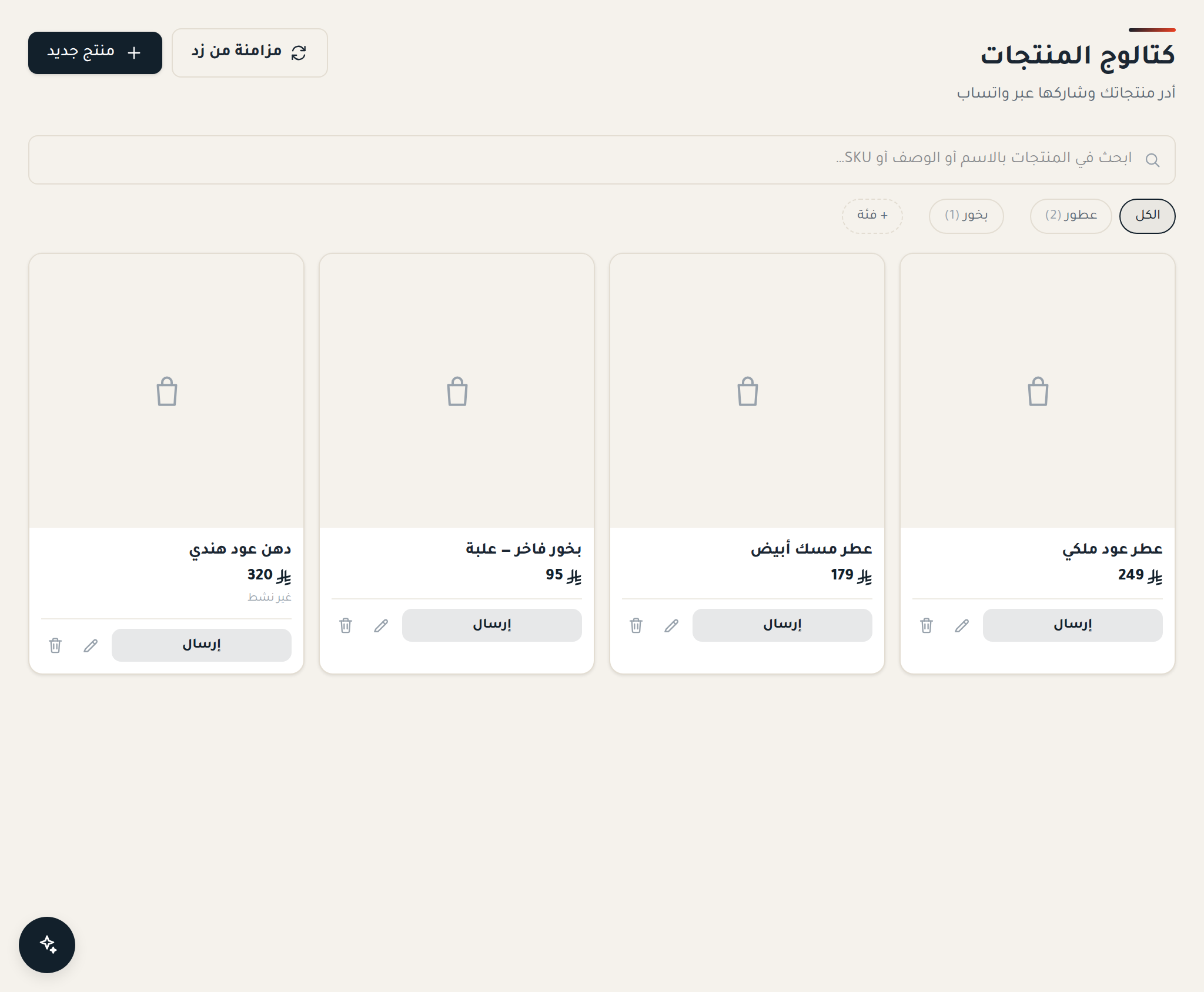
What syncs from Zid
On connect, Barqia subscribes to Zid's webhooks directly on your account, so events arrive the moment they happen instead of on an hourly poll.
Zid emits two separate status events: the order's status and the payment's status. Barqia subscribes to both, because "payment received" and "shipped" are two different messages a customer expects at two different times.
The order is stored as a real record tied to the customer's number, not just a message that was sent and forgotten — which is what makes a question like "who bought once and never returned" answerable later.
- New orders, with total, currency and payment method.
- Abandoned carts, with the checkout resume link.
- Order status changes and payment status changes — two separate events.
- Products, imported from the store catalog so you can send them inside a conversation.
What you can automate
Every store-initiated message is built on a Meta-approved template — the platform's requirement, not Barqia's — with its variables filled from Zid's data at send time.
Before each marketing message or reminder, Barqia applies three checks the customer never sees but always feels: quiet hours, the per-number frequency cap, and consent. Three reminders in one day are not three chances — they are one report. Utility messages go out when they happen, undeferred, because they are what the customer is waiting for rather than what interrupts them.
- Abandoned-cart reminders — up to three touches on timing you choose, stopping the moment they buy.
- Cash-on-delivery confirmation before you ship.
- Shipping and delivery notices, with the status written in Arabic.
- A notice when payment is confirmed, separate from the shipping notice.
- A rating request after the order or conversation closes.
Cash on delivery: where the money actually goes
Cash on delivery is the dominant payment method in the Saudi market, and it is also where margin leaks most: an order that ships and is never accepted costs you the delivery both ways plus the stock held for the whole trip.
One confirmation message before shipping separates the serious order from the rest. Barqia sends it automatically when a COD order arrives from Zid, asking the customer to reply with «نعم». Their reply lands as a message in their conversation, in front of your team, before anything ships.
For those who do not answer, don't lean on a single message — check the conversation before shipping rather than shipping on hope.
The conversation after the message
When the customer replies, their conversation opens in a shared inbox with their Zid orders beside it. Your agent answers "where is my order?" without opening the store dashboard in another tab.
A customer reply opens a 24-hour service window in which you can write freely with no template. Barqia shows the remaining time inside the conversation, because once it closes your next reply only arrives as an approved template.
Access can be split: an agent who sees only the chats assigned to them, another who never sees the customer's mobile, a team tied to one WhatsApp number and not the others.
Consent and privacy
Consent in Barqia is two scopes, not one: marketing (campaigns and offers) and utility (order confirmation, shipping update, an answer to a question). A customer who stopped the marketing still receives their shipping notice — because that is not what they asked to stop.
Every number carries a consent and opt-out record with timestamps, and a customer's data can be exported or erased on request. That is what Saudi Arabia's Personal Data Protection Law requires, and it is also what makes your list defensible if anyone asks about it.
What you need to start
A Zid store, a mobile number not tied to a personal WhatsApp account, and business verification.
Verification is two levels: Barqia's — we ask for a business document before you connect a WhatsApp number, and connecting your Zid store removes that step because the store already verified you. And Meta's own Business Verification, which is separate and which connecting a store does NOT satisfy; without it your number runs at a lower sending tier. Connect the store to clear the first, and start the second with Meta early, because it is the longer one.
How to start
- 1Create a Barqia account and complete your business profile — five fields open the 7-day free trial.
- 2In the Barqia dashboard, click "Connect Zid" and approve the store permissions. This removes the business-document step on our side.
- 3Activate your WhatsApp Business number through Meta's embedded signup, inside the dashboard.
- 4Create your message templates and get them approved by Meta — one per message you intend to send.
- 5Pick the events: abandoned cart, COD confirmation, order status, payment status.
- 6Send a test to your own number from inside the campaign dialog, then switch it on.
Common questions
- How long does connecting take?
- The connection itself takes minutes. The longer wait is usually Meta's review of your message templates, which is Meta's process, not ours.
- Are messages sent in Arabic?
- Yes, and the platform is Arabic-first with a right-to-left interface. English is available too.
- Is my customer data isolated?
- Yes. Every record is owned by its account and every query is constrained to it, so no account can see another’s data, the platform is built with Saudi PDPL in mind, and it supports exporting and erasing a customer's data on request.
- Can I try before paying?
- Yes, there is a free trial with no credit card.
- What is the difference between order status and payment status?
- Zid separates them, and Barqia subscribes to both. Payment status tells the customer their money arrived; order status tells them where their shipment is. Merging them into one message means either delaying the payment news or announcing a shipment before anything shipped.
- Can I import my old customer list and message them?
- You can import contacts, but importing is not consent. WhatsApp requires that the customer opted in to hearing from you, and messaging a list that never did is the fastest way to drop your number's quality rating and then lose it. Start with people who actually transacted with you through the store, and make the first message clearly worth receiving.